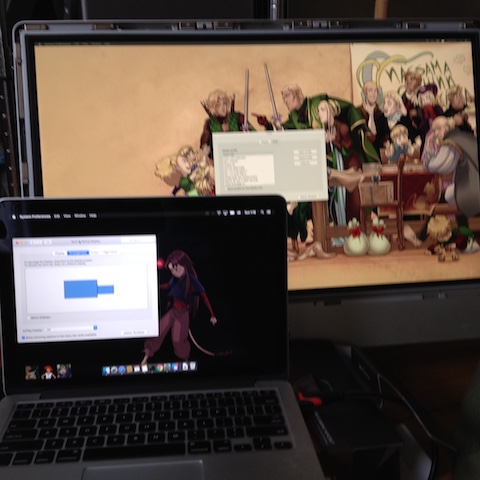
Has the same problem as the original, in that the boards are screwed down, so the panel has to be connected while hanging out of the frame.
Get an iMac with a broken logic board ($800?!), but working display.
Open up the iMac. There are specialized tools for this, but it can be done with a toilet plunger (gently!) and a small screwdriver.
Carefully remove the display. Save at least some of those screws. There's one flat cable on the back that can be removed, one split cable than can not.
Note the model number. Buy a controller from China that matches it exactly. You can find this on eBay. You will need to buy a compatible power supply, but it is heavy, so there's no point in getting that shipped directly from China. Look for the controller's requirements (24V 5A, 5.5mm barrel connector, probably), and buy one locally. Or see if you already have one, most likely from a small printer, because that is a pretty high amperage. You might, if you are a better electrician than I, re-use the iMac's power supply. (if you are reading this, you should probably not work with things capable of killing you.)
While you are waiting for that to arrive, remove as much of the other guts of the iMac as you like, except the 2 speakers (the plastic bits in the bottom corners, the display sits on them), the plastic bit behind the power supply, and at least one of the grounded screws. Also ideally the power switch and its wires.
You could save and reuse the drive(s), the RAM, possibly the iSight camera. I'm wondering what I could do with the heat pipes. Maybe make a footrest for the summer. Everything else is custom and only usable in a similar iMac. Even then, it would be better to replace the drive with an ssd.
Wait for the controller to arrive, then attach your newly arrived controller to the display. This bit might be tricky: there's no indication as to which way the plugs go in. I think I did it wrong once, and didn't explode, so guess, and definitely don't screw in the display before testing it. Make sure nothing electrical is touching, plug the controller in and check that the display works. Unplug the controller, then wait for the power to go off. It will hold a charge longer than you might think. If it doesn't work, and the card doesn't smell like burning electronics, unplug it and check all the connections.
Insert all this into the iMac. Ideally, screw down the controller board to the grounded (metal) screw holes. I found 2 that worked near the power supply zone. Run the cords out the power cable hole. (Another option: use the RAM slot at the bottom.) I only put back 4 of the screws holding the display down. I may come to regret that, but the magnets are super irritating with the tiny screws.
The controller came with a set of buttons with an LED on a little board. Turns out, only the power button does anything, so here's where the original power supply switch would have been nice. Figure out which 2 wires connect to the power switch, splice them into the original power switch's wires. Or just wrap the board with electrical tape and call it a day. The display remembers it was on, so turning it on/off with a power bar is preferable as it also cuts power to the brick, so you won't have to touch it again either way.
The display seemed slightly orange to me (that went away eventually), and I can't control the brightness from the keyboard (probably not available to any hdmi external monitor), but other than that, I made a $100 27" flawless IPS panel in a nice aluminum frame.